October 1, 2026
Cash App Borrow: Real Limits, Fees & APR (2026)
Cash App Borrow lets you take $20 to about $500 for a flat fee with a real APR equivalent. See how to unlock it and how it compares to an EWA advance
Read article


On break, a coworker mentions she got paid the same day she worked a shift last week. You've been at this job for months and you've never seen anything like that in your app. Maybe there's a tile in the payroll portal you've never tapped. Maybe she's using something totally separate that has nothing to do with the company. Either way, money's tight this week, and you want to know: do I already have daily pay through my job, and if I don't, how do I ask for it without it being weird?
That's the whole job of this article. It's a check-first, then-ask walkthrough, focused on employer-provided daily pay, the kind that lives inside your company's payroll system. Where a coworker's random app comes up, I'll flag it, because telling the two apart is half the battle. Let's start with the fastest way to get your answer, which takes about two minutes.
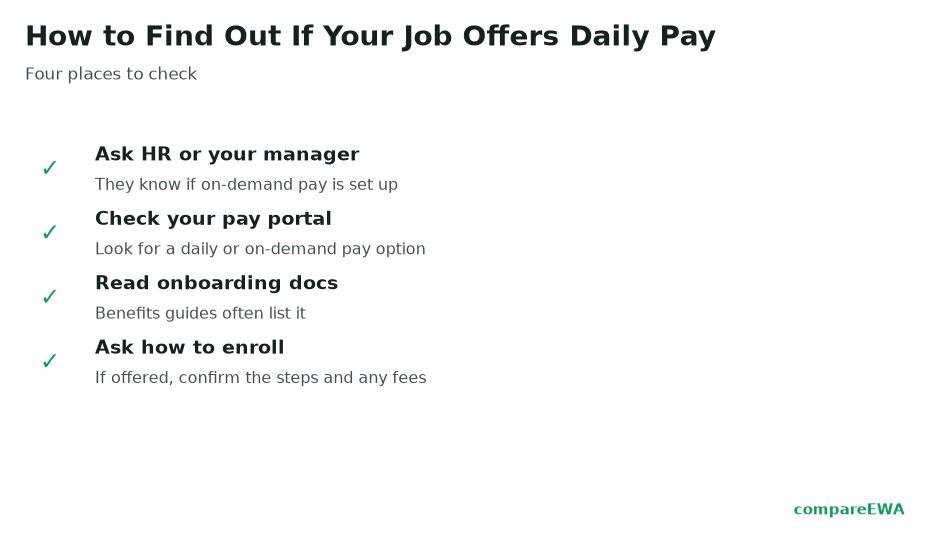
Employer daily pay almost never lives on a separate website you have to hunt for. It's built into the tools you already use to see your schedule and your pay stubs. So before you ask anyone anything, look in three places.
Inside those, look for a button or tile that says something like "get paid early," "on-demand pay," "instant pay," "daily pay," or a named provider's logo you don't recognize. If it's there, you already have it, and you were one tap away the whole time. Plenty of workers are in exactly that spot: the benefit is live, they just never opened the tile.
Before you get excited about your coworker's setup, figure out which kind she's actually using, because they behave very differently.
If the early-pay option lives inside your payroll or HR system and reads your verified hours, it's employer-provided. That's the good version: it's usually cheaper, and it typically comes with a free (slower) transfer option, charging you only if you want the money instantly. It knows your real hours because it's wired into the same system that runs payroll.
If your coworker just downloaded an app on her own and linked her bank account, that's a consumer product, not an employer benefit. It's not connected to the company at all; it estimates her earnings from her bank deposits. Those consumer apps are a real option, but they generally cost more and carry more risk, which is why it's worth checking for the employer version first before you assume an app is your only path.
So when you see a coworker getting daily pay, the first question isn't "how do I get that app." It's "is that through the company or on your own?" The answer tells you whether to go looking in your portal or to think harder about whether an app is worth it.
If the two-minute check comes up empty, don't jump straight to filing a formal request. Work up the ladder in order, because the answer might be one quick conversation away.
Going in this order saves you from a big formal ask when a thirty-second question would have done it, and it means that by the time you reach HR, you can honestly say you already checked the portal and asked your manager.
Here's the thing that makes asking a lot less intimidating: offering on-demand pay usually isn't a big lift for your employer, and knowing that lets you frame the ask as reasonable rather than needy.
Employers generally do not have to run payroll every day or change your pay schedule to offer daily pay. As payroll providers like Paychex and Paylocity describe it, the company contracts with its existing payroll provider or a dedicated on-demand pay service, and that service handles the mechanics of advancing earned wages and reconciling on payday. The pay cycle stays the same. The provider does the heavy lifting. From the employer's side, it's mostly a decision and some setup, not a payroll overhaul.
That's the fact that turns your request from "can you completely change how you pay everyone" into "would you consider switching on a feature the payroll system probably already supports." Much easier to say yes to.
You don't need to explain your finances or sound like you're in a bind. Keep it brief, lead with the business upside, and make it easy to say yes. Something like this works:
Hi [name], I wanted to ask whether we offer any on-demand or daily-pay option, where employees can access wages they've already earned before payday. A lot of companies are adding it through their payroll provider, and I've read it tends to help with retention and hiring without changing our actual pay schedule. If it's something we could look into, I'd be glad to be an early user. Thanks for considering it.
Notice what that does. It names the benefit precisely, so HR knows exactly what you mean. It leans on the retention and recruiting angle, which is a documented reason employers adopt it, rather than making it about your rent. And it signals the ask is low-effort by mentioning the payroll provider handles it. Then set your expectations: it may need manager or HR sign-off, and even a yes can take time to roll out, since they have to enable it and communicate it to staff. A slow yes is still a yes.
Sometimes the answer is just no, and it's worth being straight about your fallback. A reputable consumer earned wage access app can bridge a gap when your employer doesn't offer anything. But go in clear-eyed: consumer apps generally cost more than the employer version, and every early pull still borrows from the same paycheck, so leaning on one every week shrinks each deposit and can become a habit that keeps you behind. If you go that route, compare what a couple of options actually cost, tips and express fees included, before you commit to one. It's a bridge, not a raise.
For a sense of your odds, the 2024 SHRM Employee Benefits Survey found roughly 16 percent of employers, about one in six, offered payroll-advance or on-demand pay type benefits, and SHRM has named on-demand pay as one of the faster-moving payroll trends employers are adding, driven by inflation, financial stress, and pressure to keep workers. That number comes from one survey's definition, and others report different rates because they define the category differently, so treat "around one in six" as a ballpark. The takeaway holds either way: there's a real chance it's already available at your job, which is exactly why the two-minute check is worth doing before you ask, and why asking is a normal request now, not a strange one.
Look inside your employee self-service portal and your company's payroll or HR mobile app for a tile that says "get paid early," "on-demand pay," "instant pay," "daily pay," or a named provider's logo. It usually lives in the same system where you view pay stubs, not on a separate website.
Go in order: check the portal and app yourself, then ask a shift lead or manager whether it exists, then contact HR or the payroll and benefits team. HR owns the benefits list and the payroll-provider relationship, so they're the ones who can actually confirm it and turn it on.
No. Around one in six employers already offer it, and it's a fast-growing benefit, so asking is a normal request. Frame it around the retention and hiring upside rather than personal need, and it reads as a reasonable business suggestion.
It varies. Enabling it may need manager or HR sign-off, and rolling it out to staff takes time even after a yes. Because the payroll provider handles the mechanics, it's usually setup and communication rather than a long overhaul, but plan for it to take a while.
Generally the pay schedule stays the same, and the employer doesn't have to run daily payroll. The company contracts with its payroll provider or an on-demand pay service that handles the mechanics, and these programs are often offered at little or no cost to the company.
A reputable consumer earned wage access app can bridge a gap, but it usually costs more than the employer version and still borrows from your next paycheck. Compare the total cost of a couple of options, including tips and express fees, and use it for specific gaps rather than every week.

Cash App Borrow lets you take $20 to about $500 for a flat fee with a real APR equivalent. See how to unlock it and how it compares to an EWA advance
Read article
Most cash advance apps only deposit to your bank. See which ones issue a debit card you can use at an ATM, and what it costs.
Read article
Cash advance apps without a bank account are rare. See which ones actually work with a prepaid card or Chime, Varo, or Cash App instead of a bank.
Read articleSee how the top earned wage access apps stack up on fees, limits, and speed. View the full ranking